
1
Create what you sell
Add products, services, tickets or recurring plans directly from your system.
Create products, tickets and subscriptions in your app, send customers through Xara to pay, and keep everything in sync as payments come in.
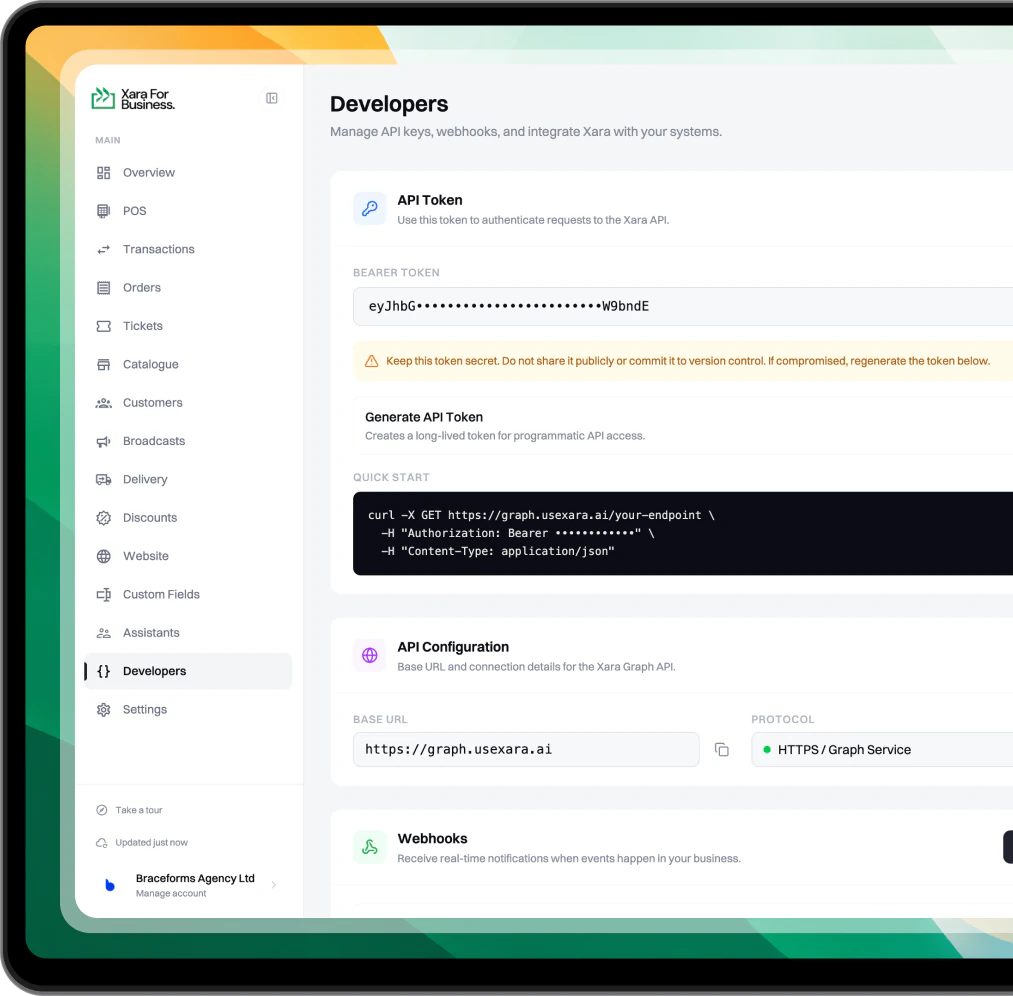
Add products, services, tickets or recurring plans directly from your system.

Create an invoice for the customer and let Xara handle the payment experience.

Xara notifies your system when payments come in, so your records stay up to date.
Use the Xara API to create products, tickets and subscriptions, generate invoices for customers, and keep your system updated as payments come in.
Add Xara payments to your website, app or internal tools without rebuilding your business around another platform.

However the sale starts, the invoice and payment still belong to your Xara business, so everything stays together.

Xara sends payment updates back to your application automatically, so your product can respond as soon as money comes in.
Bring Xara into your existing store or commerce setup without starting over.
Seamlessly connect with the tools, platforms, and workflows you already use.

Everything you need to know about collecting payments with the Xara API.
No. The API is built for collecting money, not sending it. You can create what you sell, raise invoices, and get notified when customers pay. Sending money out stays with you on WhatsApp or your dashboard.
Yes. Every request, including raising an invoice, needs your API token as a Bearer token in the Authorization header. Your business is identified from the token, so there is nothing extra to pass.
Yes, two ways. For a simple admission ticket, create it as a catalogue item and sell it like any other product. It can even be free. For a full event with a venue, date, shareable page, and several ticket levels like Regular and VIP, create an event and Xara sets up each level for you. Once a customer pays, Xara issues them a scannable ticket.
Yes. Create the item as a subscription and set how many days between each billing cycle. Gyms, membership clubs, and anyone collecting on a schedule can run it this way.
Yes. Set the quantity when you create a product and add a low stock threshold, and Xara keeps count as sales come in. Every invoice response also carries stock warnings, so you know when something is running short.
Nothing is lost. Xara retries the delivery at one minute, five minutes, and thirty minutes. Each delivery also carries its own ID, so a retry never gets processed twice.
Every invoice you create returns a reference. Store it against your own record, and when the payment notification arrives, match on that reference to reconcile.
VAT, yes. It follows your business VAT setting by default, and you can switch it off on a single invoice when the total has to match another checkout. For delivery, you can attach the customer's delivery address and an estimated delivery time to the invoice.
2% per transaction processed through the API. No setup fee, no monthly charge.
Yes. Take off a fixed amount or a percentage when you raise the invoice.
Yes. Set a minimum upfront amount, either a figure or a percentage. You get invoice.payment_received when a part payment lands and invoice.paid once the invoice is fully settled.
If the amount doesn't match the invoice, the payment won't go through. The sender's bank will reverse it.
Invoices expire after 48 hours.
Ask to speak to support through Xara on WhatsApp. You can also email support@xavatech.co or send us a DM on any of our social media platforms.
Yes. Raise the invoice with your customer's phone number and Xara sends it to them.
If your device is stolen or compromised, don’t worry you can freeze your Xara account right from any WhatsApp device. We’ll pause all payment activity and guide you through recovery.